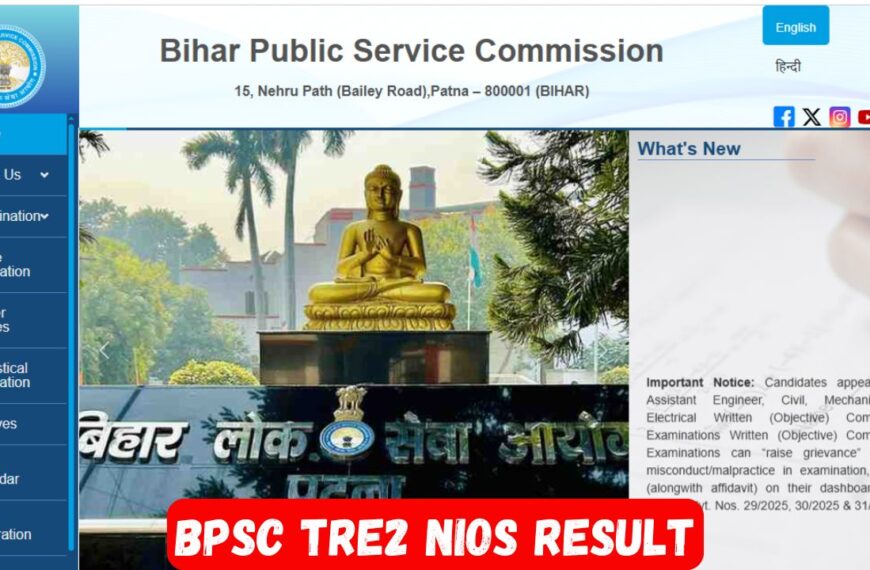


BPSC TRE2 NIOS: Agar aap BPSC TRE2 NIOS category ke candidate ho (specially NIOS D.El.Ed wale), to aaj ka yeh blog aapke liye full helpful hai. Yahan aapko milega:
-
TRE 2.0 NIOS result/merit list ka latest status,
-
Watermark document kaise download kare (pure step-by-step),
-
NIOS documents DigiLocker/NIOS se download karne ka easy tareeqa,
-
Plus 10 FAQs jisme har sawaal ka seedha, simple jawab diya gaya hai.
Latest news in short: BPSC ne TRE 2.0 (NIOS D.El.Ed candidates) ke liye subject-wise result/merit list release ki hai. Official site par PDF check ki ja sakti hai. Yeh update long legal wait ke baad aaya hai, isliye NIOS candidates ke liye yeh badi relief news hai. Source: BPSC website & major edu outlets.
Login Ke liye Click kare
Forgot Password and User id ke liye click kare
Why this matters (NIOS candidates ke liye kya bada hua?)
-
NIOS D.El.Ed candidates ka selection process ab clear track par hai, aur subject-wise merit list BPSC site par available hai. Isse aap apna status verify kar sakte ho.
-
Document Verification/District Allotment jaise next steps me “Watermark Document” bahut important proof hota hai—isme aapka BPSC watermark & registration number print hota hai.

Watermark Document kya hota hai?
BPSC portal se jo documents (Application/Uploaded Certificates) aap download karte ho, un par Commission ka watermark aur registration number aata hai. Ye DV (Document Verification) aur counselling me official proof ke roop me manga ja sakta hai, isliye correct tarike se download & print karna zaroori hai.
Also Read: BPSC Tre2 NIOS Result Kaise Check Kare 2025
Step-by-Step: BPSC Watermark Document Kaise Download Kare (BPSC TRE2 NIOS)
Note: Button names thode vary ho sakte hain, par flow same hota hai.
-
Official Portal kholien:
bpsconline.bihar.gov.inpar Candidate Login kholiye. bpsconline.bihar.gov.in -
Login karein: Username/Password/OTP se login. (Agar password bhool gaye, Forgot Password option use karein.)
-
Dashboard me Exam choose karein: “School Teacher Recruitment (TRE 2.0)” application card/select option par click karein.
-
Documents section: “Uploaded Documents / Watermark Document / Download” jaisa koi tab/option dikh raha hoga—usse open karein. (Label vary ho sakta hai.)
-
Individual files select karke download karein: Matric/Inter/Graduation/Professional (D.El.Ed/NIOS), CTET/BTET, Caste/Residential, etc.—ek-ek karke PDF download karein.
-
PDF open karke check karein: Har PDF par BPSC watermark + Registration No. clearly visible hona chahiye.
-
Print settings: Print karte waqt A4, “Fit to page”, aur Background graphics (agar browser pooche) enable karein taaki watermark faint na ho.
-
Safe keep: Soft copy (PDF) ko alag folder me rakhein, aur 2–3 hard copies nikal kar DV/counselling ke liye ready rakhein.
BPSC ne past cycles me explicitly bola tha ki updated/watermarked copy dashboard se download karke hi rakhni hai. Isliye non-watermarked ya purani copy se kaam na chalayein.

NIOS Documents (Marksheet/Certificates) DigiLocker/NIOS se kaise nikaalein
Agar aapko NIOS (10th/12th/DL/other) ke digital docs chahiye, to DigiLocker best tarika hai (2010 se onward ke documents—Marksheet, Provisional, Migration—generally available).
Steps (DigiLocker):
-
digilocker.gov.in/ DigiLocker app open karein. -
Aadhaar/phone se sign in karein.
-
Issued Documents → Search “NIOS”.
-
Apna document type choose karein (e.g., Digital Marksheet / Provisional / Migration).
-
Pull/Fetch karte hi document download/share ho sakta hai (PDF).
Duplicate/Correction (Direct NIOS):
-
Duplicate Marksheet/Certificate ke liye NIOS application form fill karke Marks & Migration Section, NIOS, Noida ko fee ke saath apply karein.
Quick Checklist (Before DV/Counselling)-BPSC TRE2 NIOS
-
✅ TRE 2.0 NIOS merit list/result PDF check ki?
-
✅ BPSC Watermark documents sabke fresh downloads le liye? (Har doc par watermark & reg. no.)
-
✅ NIOS docs (Marksheet/Provisional/Migration) DigiLocker/NIOS se download/print kiye?
-
✅ Multiple hard copies ready + soft copies cloud me backup?
10 FAQs: “WATERMARK KAISE DOWNLOAD KARE – BPSC TRE2 NIOS”
Q1. Watermark document hota kya hai?
A. BPSC dashboard se downloadable official PDF jisme BPSC watermark aur registration number hota hai. Ye DV/counselling me proof ke roop me manga ja sakta hai.
Q2. BPSC watermark document download karne ka sabse sahi portal kaunsa hai?
A. bpsconline.bihar.gov.in → Candidate Login. Yahi se TRE 2.0 application dashboard open hoga aur watermark documents milenge. bpsconline.bihar.gov.in
Q3. Login nahi ho raha—kya karun?
A. “Forgot Password” use karke reset karein; sahi application (TRE 2.0) select karein; browser cache clear/alternate browser bhi try karein. (Portal official hi use karein.) bpsconline.bihar.gov.in
Q4. Dashboard me “Watermark” option kahaan milega?
A. Usually Uploaded Documents/Download/Watermark jaisi tab me hota hai. Label thoda change ho sakta hai, lekin TRE 2.0 application card ke under hi milega.
Q5. Kaunse documents ko watermarked version me download karna hai?
A. Jo bhi docs aapne upload kiye the—Matric/Inter/Graduation, Training (NIOS D.El.Ed), CTET/BTET, Category/Residence—sab PDF with watermark ke roop me nikaal lijiye. (Updated/watermarked copy hi carry karein.) BPSC TRE2 NIOS
Q6. PDF me watermark faint lag raha hai—print kaise karein?
A. A4, “Fit to page”, aur Background graphics enable karke print karein. High-quality print use karein taaki watermark clearly dikhe.
Q7. Watermark option show hi nahi ho raha?
A. Check karein ki aapne pehle documents upload kiye the. Kuch cases me re-upload window aata hai; update karke phir se download karein. Agar issue persist kare, official notice/helpline follow karein. (Past advisories ne updated/watermarked copy rakhne ko bola tha.)
Q8. Kya NIOS ke documents DigiLocker se chal jayenge?
A. Haan, NIOS ke Digital Marksheet/Provisional/Migration DigiLocker par available hote hain (2010 onwards). Unhe download/print karke rakh sakte hain.
Q9. Agar NIOS document miss ho gaya ya correction chahiye to?
A. NIOS ke Marks & Migration Section ko duplicate/correction ke liye application + fee send karni hoti hai (form NIOS website/Regional Centre se milega). BPSC TRE2 NIOS
Q10. TRE 2.0 (NIOS) result/merit list kahan se check karein?
A. BPSC official site par subject-wise merit list/result PDFs publish hue hain—wahan se download karein. BPSC TRE2 NIOS
Pro Tips (Rank & Readiness)-BPSC TRE2 NIOS
-
File naming: Har PDF ko “Name_DocType_TRE2_WM.pdf” jaisa naam dekar save karein.
-
Backup: Cloud (Drive/Dropbox) me upload + phone me ek copy.
-
Hard copies: Minimum 2–3 sets.
-
Updates: Naye circular/result/merit list ke liye BPSC official site pe nazar rakhein.
Short How-To (BPSC TRE2 NIOS)
-
NIOS DigiLocker: Login → Issued Documents → NIOS → Marksheet/Provisional/Migration → Download.
-
BPSC Watermark: bpsconline login → TRE 2.0 dashboard → Uploaded/Watermark Docs → PDF download (check watermark + reg. no.) → Print. BPSC TRE2 NIOS